Build the deal before giving the dealer your name.
The first version of PrecisePrice asked shoppers to create an account before showing a price. Worse, the deal they built online could change when the dealer opened it in Desking.
I led the redesign from research through final UI. Shoppers could choose financing, add a trade, and review every line before sharing any contact information. They only had to identify themselves when they saved the deal or booked a visit, and the dealer could continue from the same details in Desking.
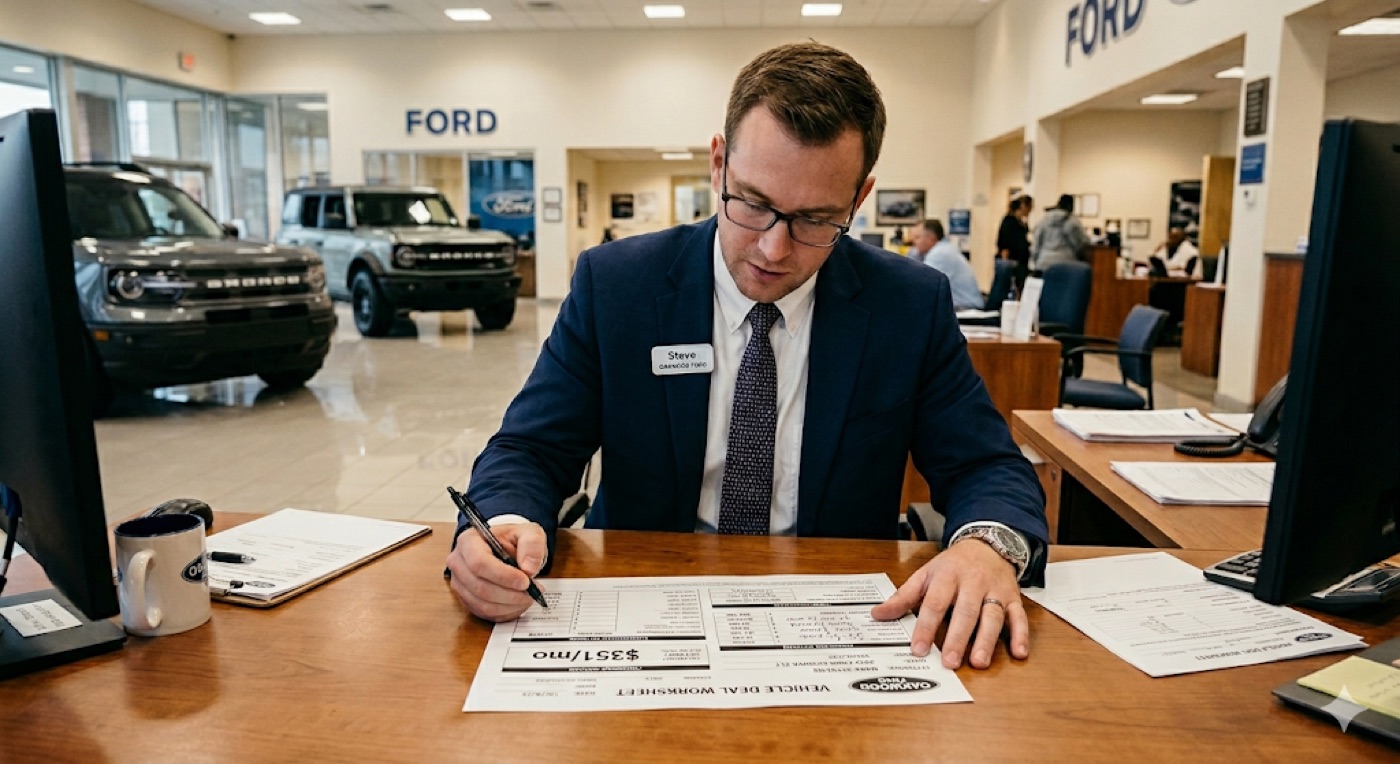
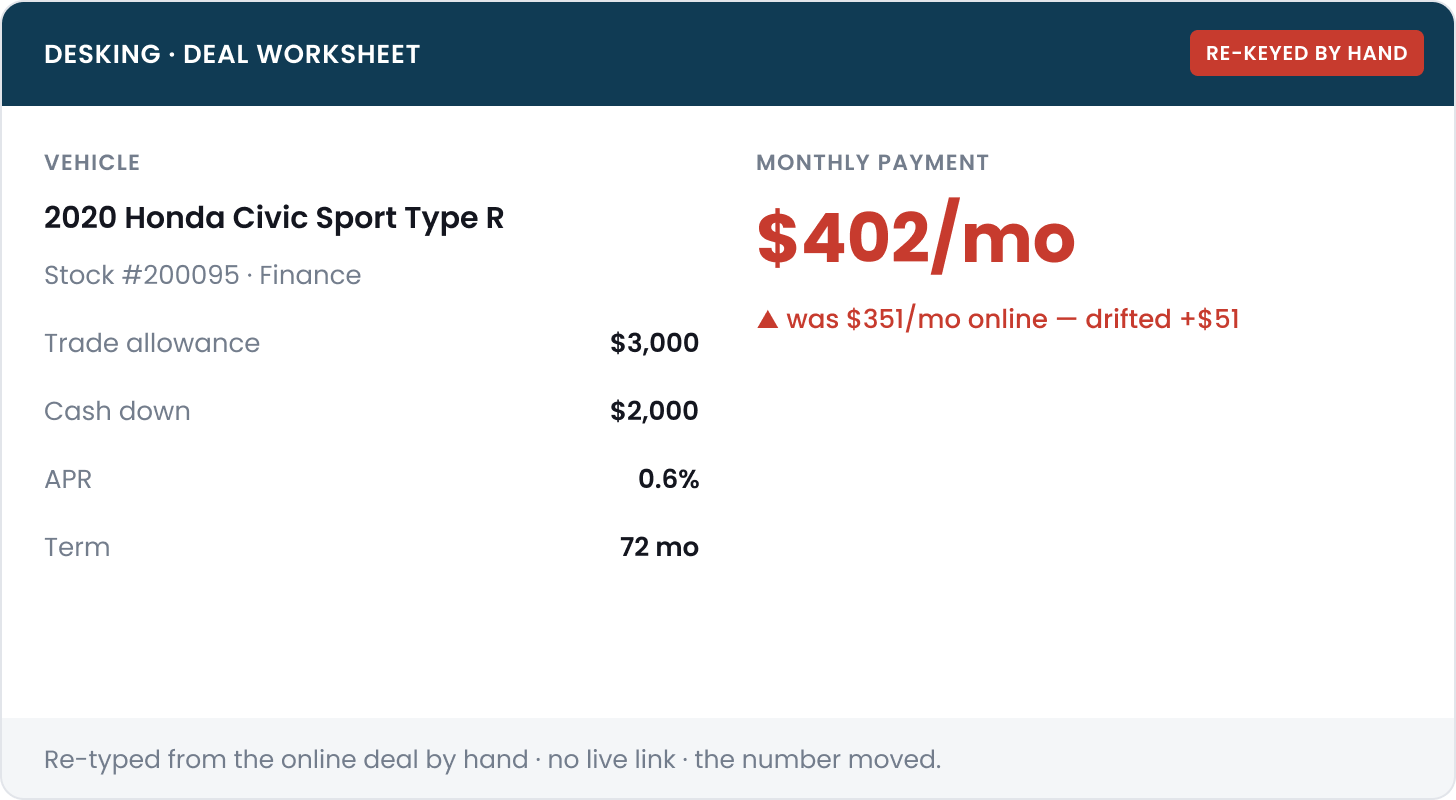
The online price did not match what the dealer opened at the desk.
PrecisePrice let people price a car from home, but the dealer had to recreate that deal in Desking, the tool used in the showroom. The monthly payment could change in the process. The first version also put a contact form in front of the price, so many shoppers left before building anything.
If the dealer cannot open the deal a shopper built online, the online price is only an estimate.
Shoppers often returned to the listing sites when they reached the form. Dealers received a name and phone number, but none of the choices behind the deal. When the shopper arrived, the salesperson had to enter everything again and explain any change in price.
Two shortcuts I ruled out.
Calling the price guaranteed would not make it accurate at the dealership. Keeping the account wall would continue to hide the most useful part of the tool. The real issue was that the dealer could not continue from the choices a shopper had already made.
Just guarantee the price
The price already appeared online. Labeling it “guaranteed” would not stop it from changing when the dealer rebuilt the deal.
Make them sign up first
Most people left before they saw enough of the deal to decide whether the tool was useful.
I set two requirements: show the price before asking for contact information, and let the dealer open the shopper’s saved choices in Desking.
How the redesign came together.
Each step below covers one part of the work and links to the full section.
01Problem · Where the first version failed+
The first version hid the price behind an account. Dealers also had to rebuild the online deal in Desking, where the monthly payment could change.
Read the full Problem →02Approach · Show the price first+
I moved contact information to the save and booking moments, then made sure the dealer could open the shopper’s saved choices in Desking.
Read the full Approach →04Research · Learn where shoppers hesitated+
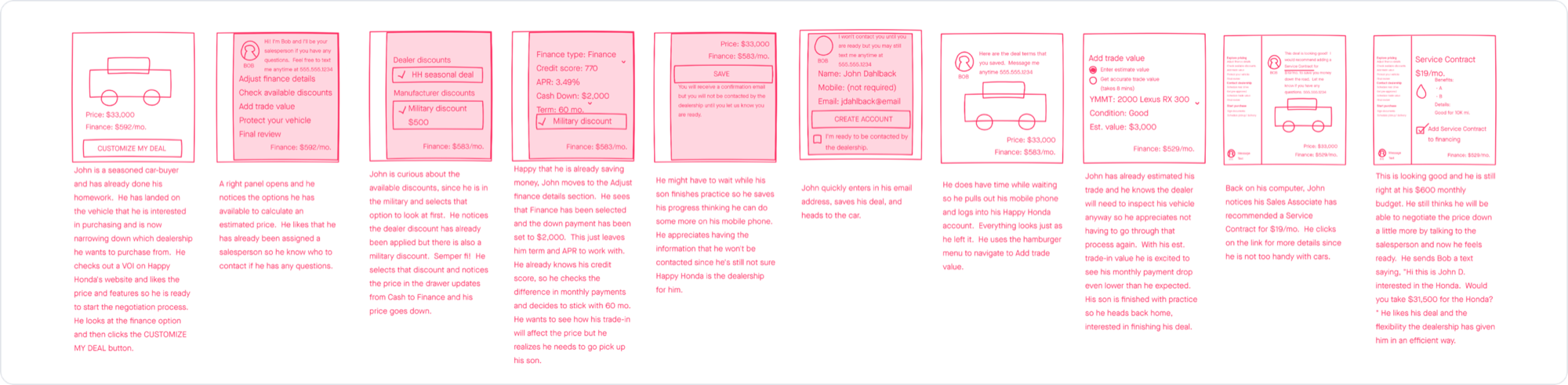
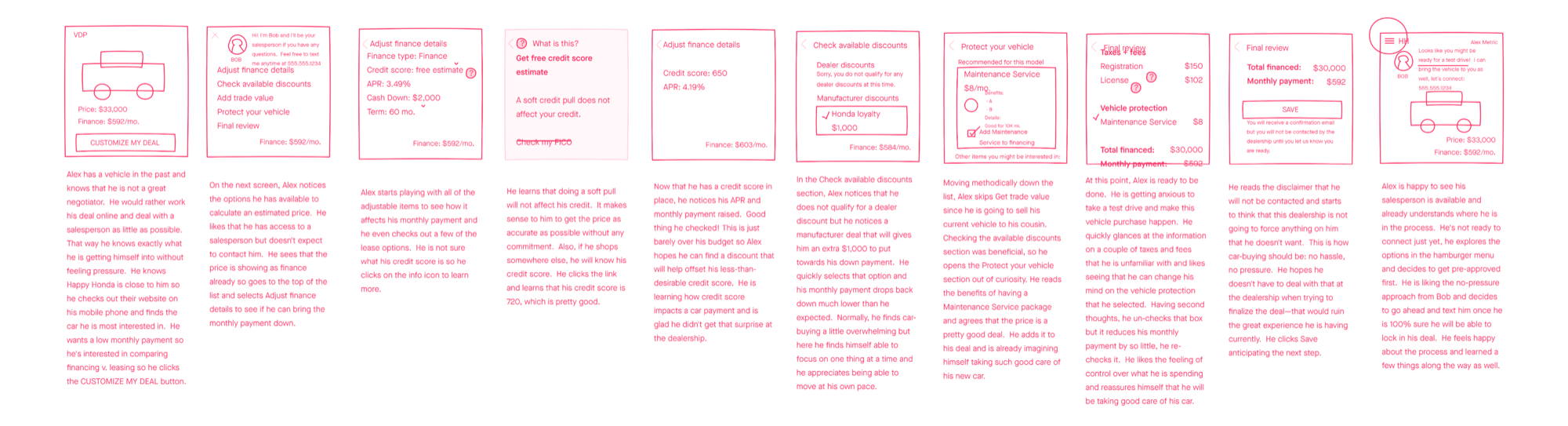
I designed for two buying styles: John wanted speed and control, while Alex needed more explanation. I tested the flow with shoppers in July 2020 and used their questions to revise the credit, review, and save steps.
Read the full Research →05Solution · Build the deal before signing up+
I divided the deal into manageable steps and chose an accordion over one long page. The Portal let shoppers save by email and return on any device, while dealers continued the deal in Desking.
Read the full Solution →06Impact · What changed after launch+
More shoppers reached the full review, more appointments included a configured deal, and dealers no longer had to re-enter the mapped details.
Read the full Impact →Shoppers wanted the numbers before they gave the dealer their information.
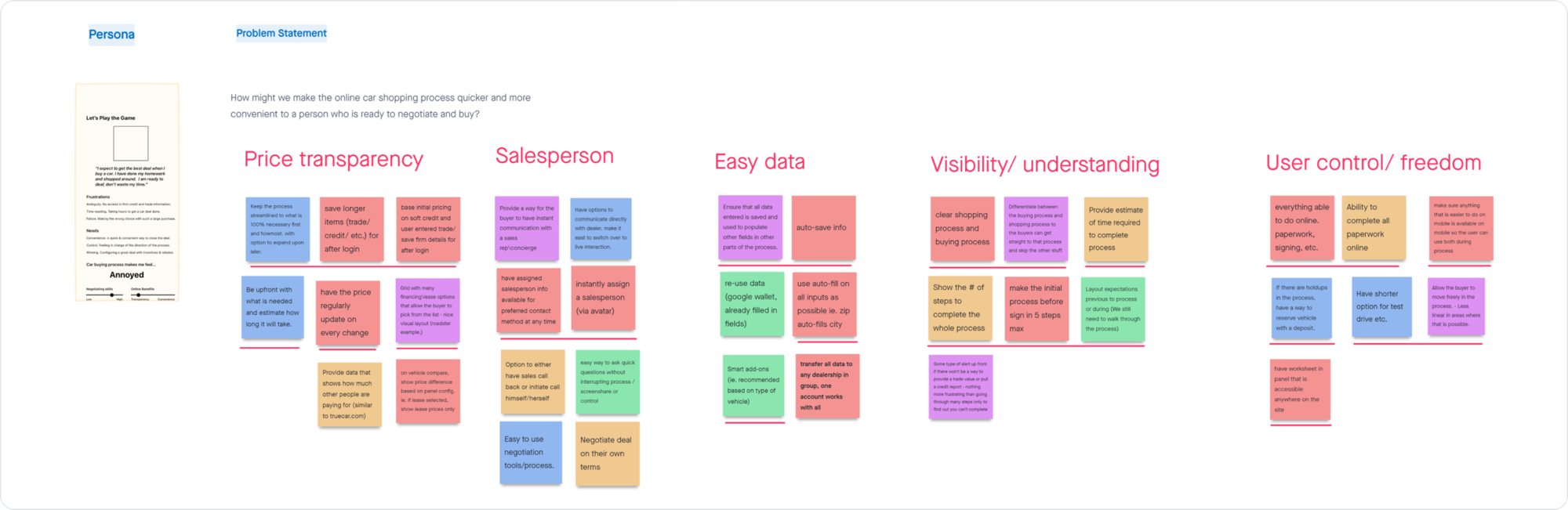
I looked at where people stopped in the first version, compared the needs of experienced and anxious buyers, and tested the revised flow with shoppers.
What shoppers needed to understand.
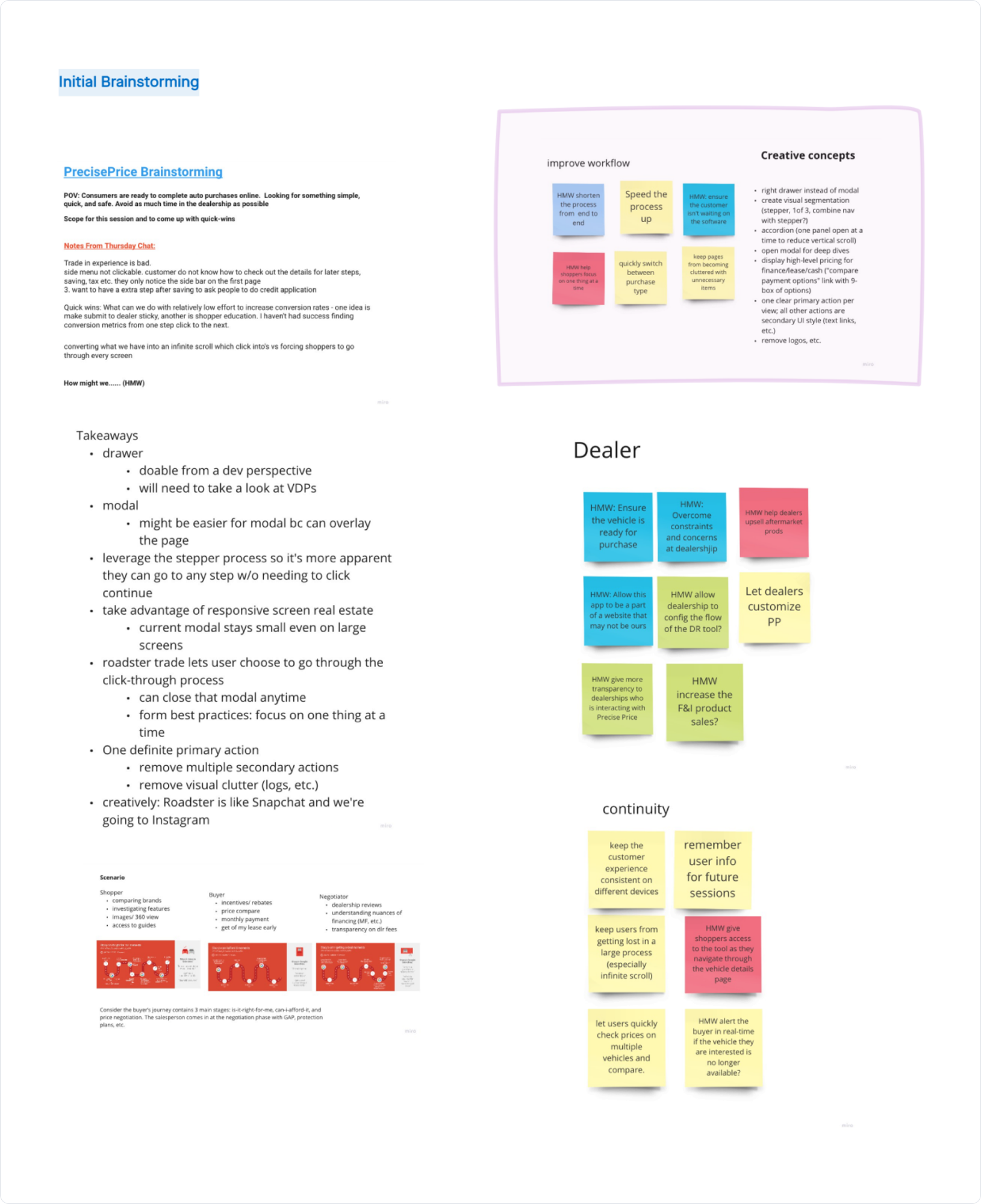
I worked with the product team to list the questions a shopper would have about price, credit, trade-in value, payments, and what happened at the dealership. One decision followed quickly: let people build the deal first and ask for contact information only when they save or book.
Can we show a useful price before asking who the shopper is?
Can shoppers estimate credit without affecting their score?
What would make the trade estimate feel credible?
Can the salesperson continue from the shopper’s saved choices?
Can shoppers compare financing and understand every charge?
Can people build the deal before sharing any personal details?
Some shoppers want speed. Others need more explanation.
John
Wants to verify the deal fast, then stay in control.
- A real price without handing over contact info
- A named dealership contact he can reach without leaving the deal
- Auto-save and auto-fill so nothing is re-typed
- Freedom to move through the deal in any order
- A worksheet he can open and tweak anytime
“Don’t make me create an account to see a number. I’ve done this before.”
Alex
Wants reassurance and guidance.
- Plain-language explanations, with info icons that explain each number
- One decision at a time, with a time estimate
- His price compared against the market average
“I just don’t want to get taken advantage of. Tell me what each thing means.”
Putting the flow in front of shoppers.
I built clickable prototypes for both buying styles and tested them with a small group of shoppers in July 2020. Their hesitation around credit, pricing details, and saving the deal led directly to the changes below.
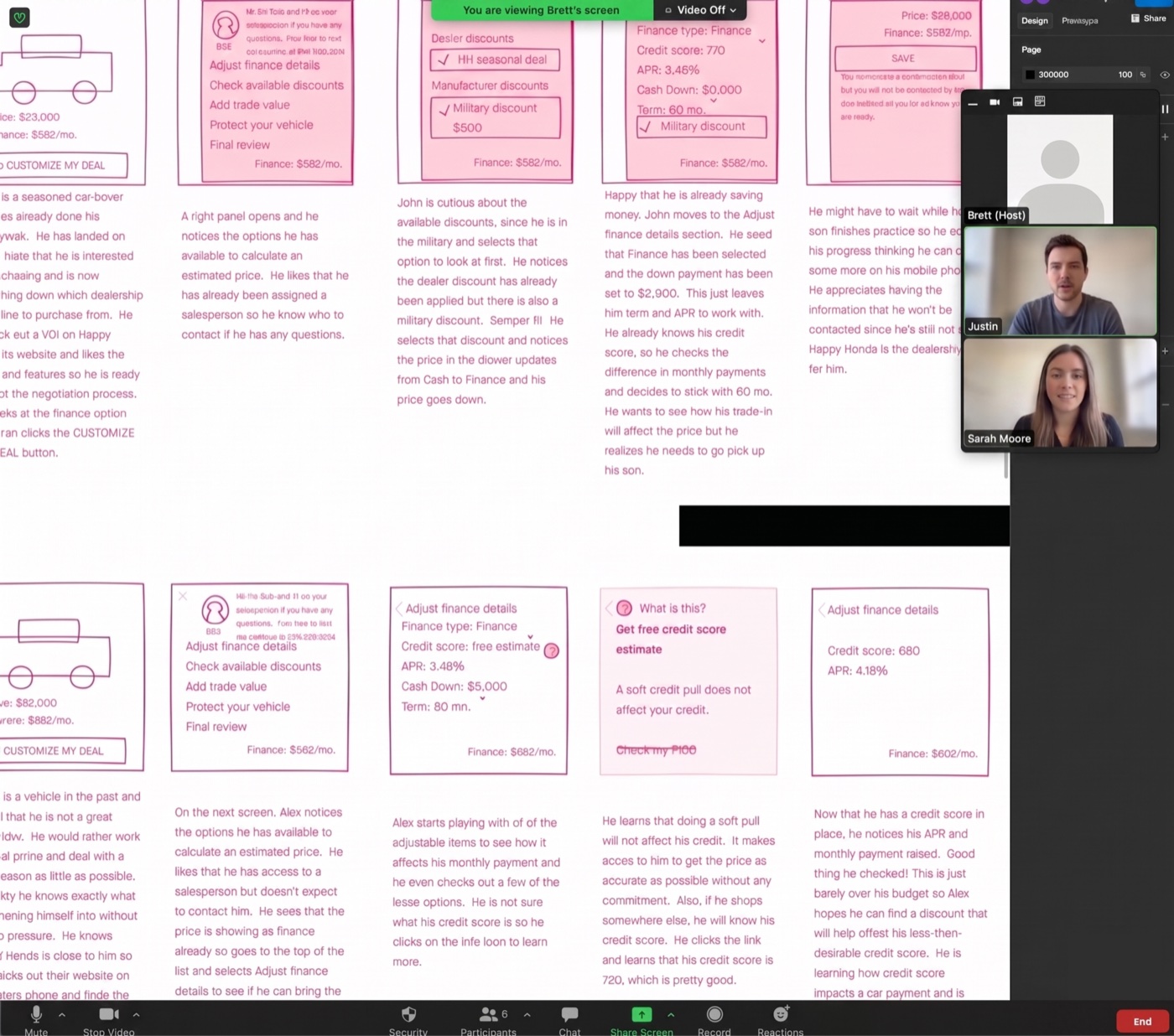
Three screens raised the most questions.
| What people said | What changed |
|---|---|
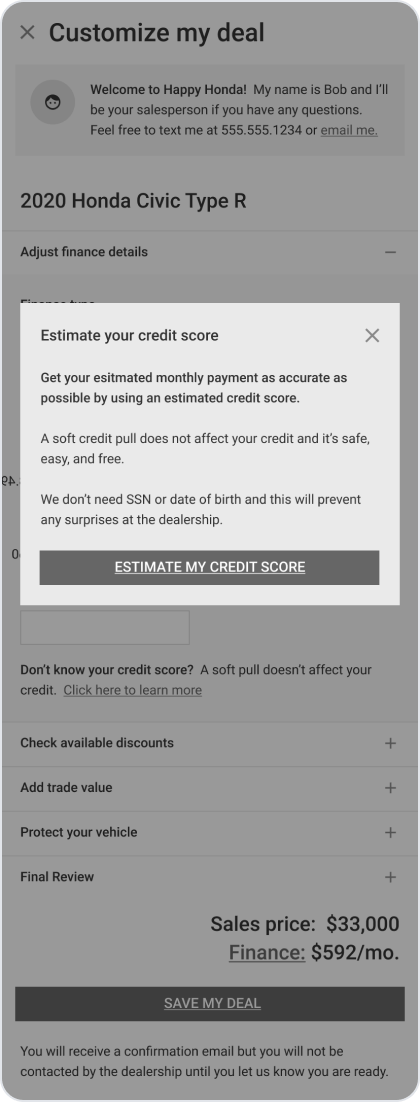
| “Will this hurt my score?” Hesitation before the soft pull. | Added a plain soft-pull explanation: it doesn’t affect your score. |
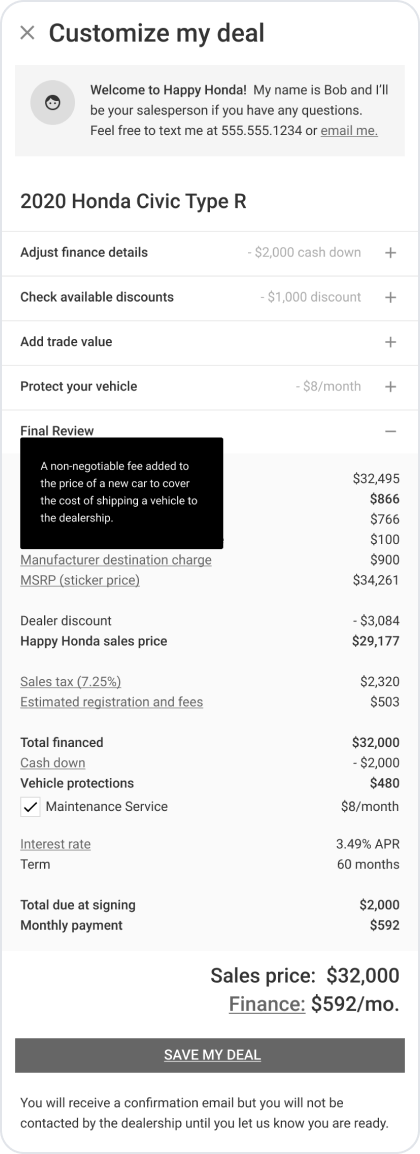
| “What is this number based on?” Wanted the math explained. | Put info icons on the lines people questioned: fees, payment, trade-in. |
| “Will it remember my progress?” Expected it to save. | Auto-save across the whole flow, with nothing lost on return. |
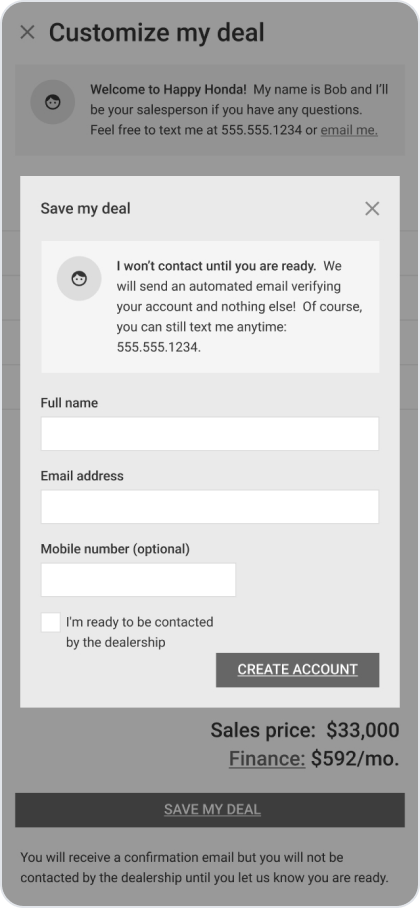
| “Who will I be dealing with?” | Assigned a salesperson, with optional contact at any point. |
A useful price had to include the choices that change the payment.
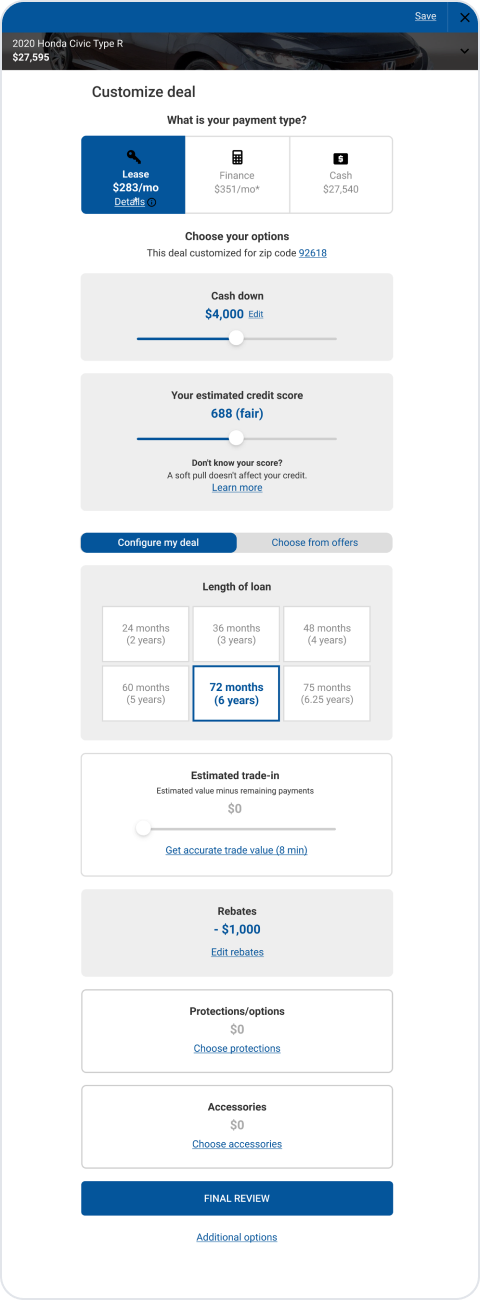
I divided the deal into steps so shoppers could work through financing, a credit estimate, trade-in, rebates, protections, and the final review without facing one dense form. No account was required until they chose to save, schedule a visit, or sign.
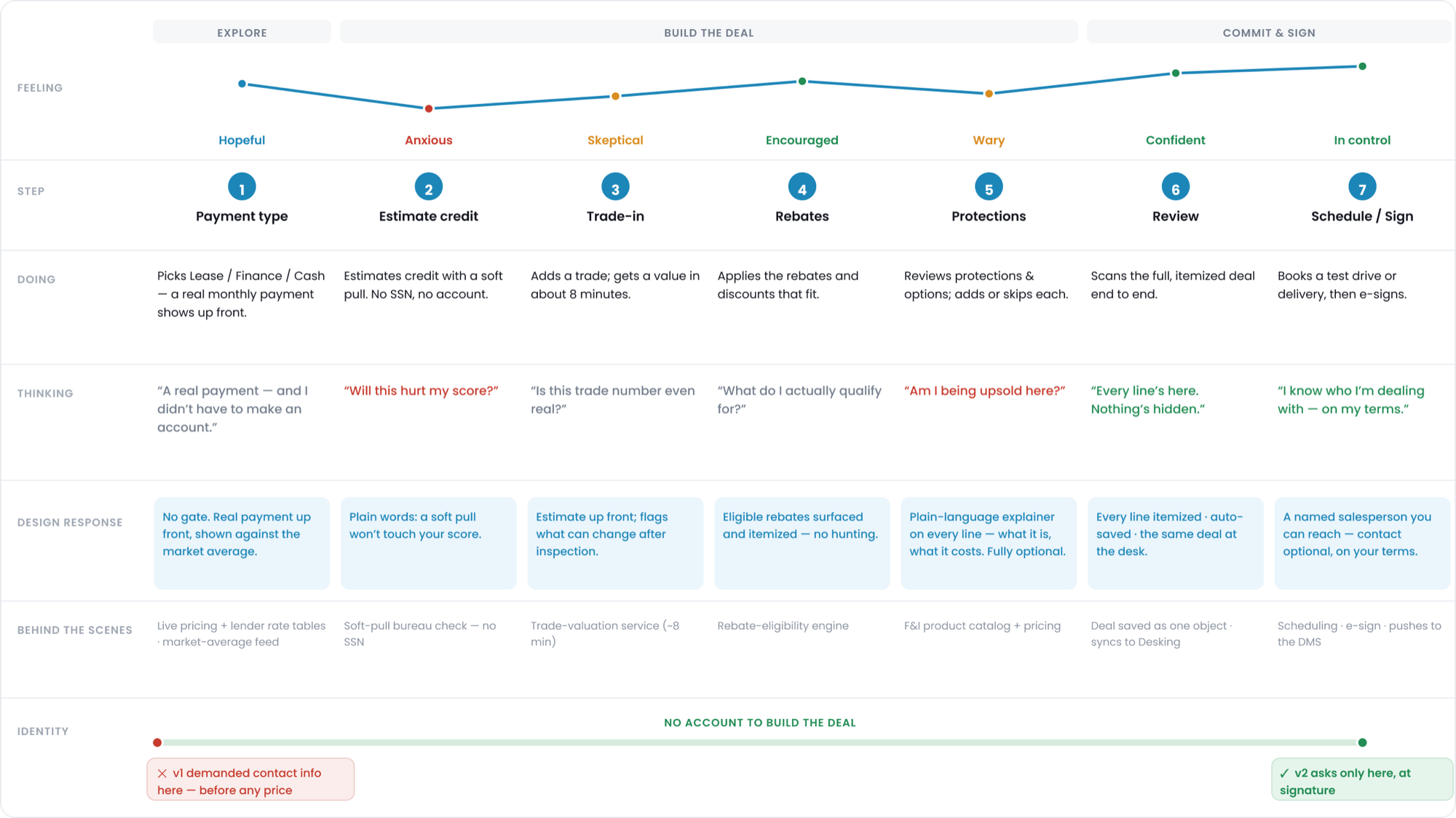
The final deal builder
The mobile screens below go from the first payment estimate to the itemized review.

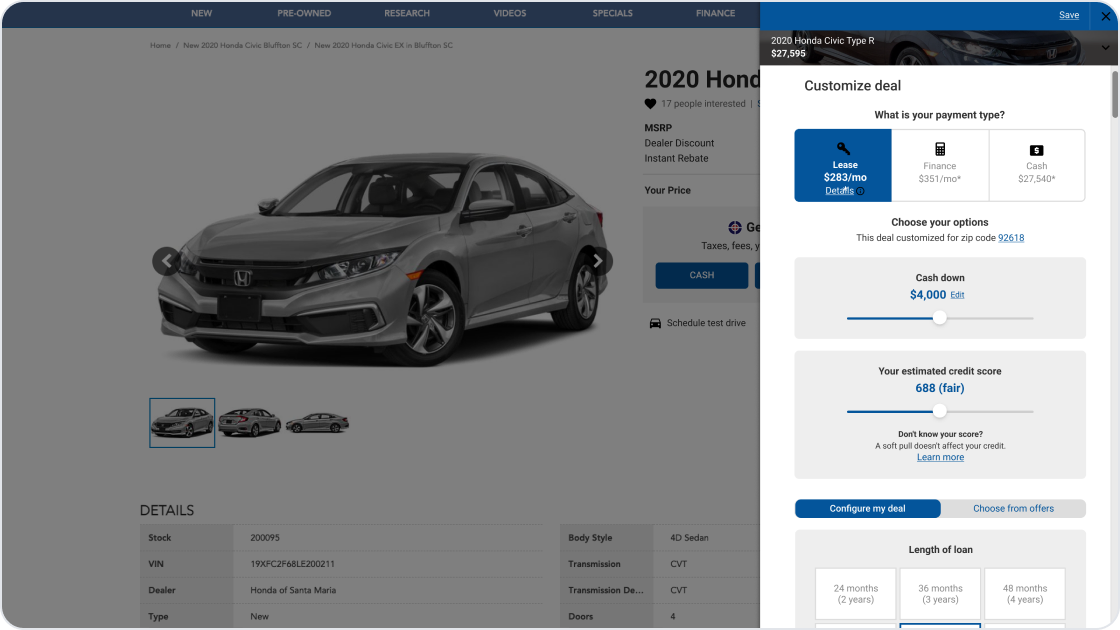
A real payment, before any account.
Choose Lease, Finance, or Cash to see a monthly payment and compare it with the market average. No contact information is required.

A soft pull, in plain words.
Shoppers can estimate their credit range without an SSN or account. The page states up front that the check will not affect their score, addressing the question testers asked most often here.
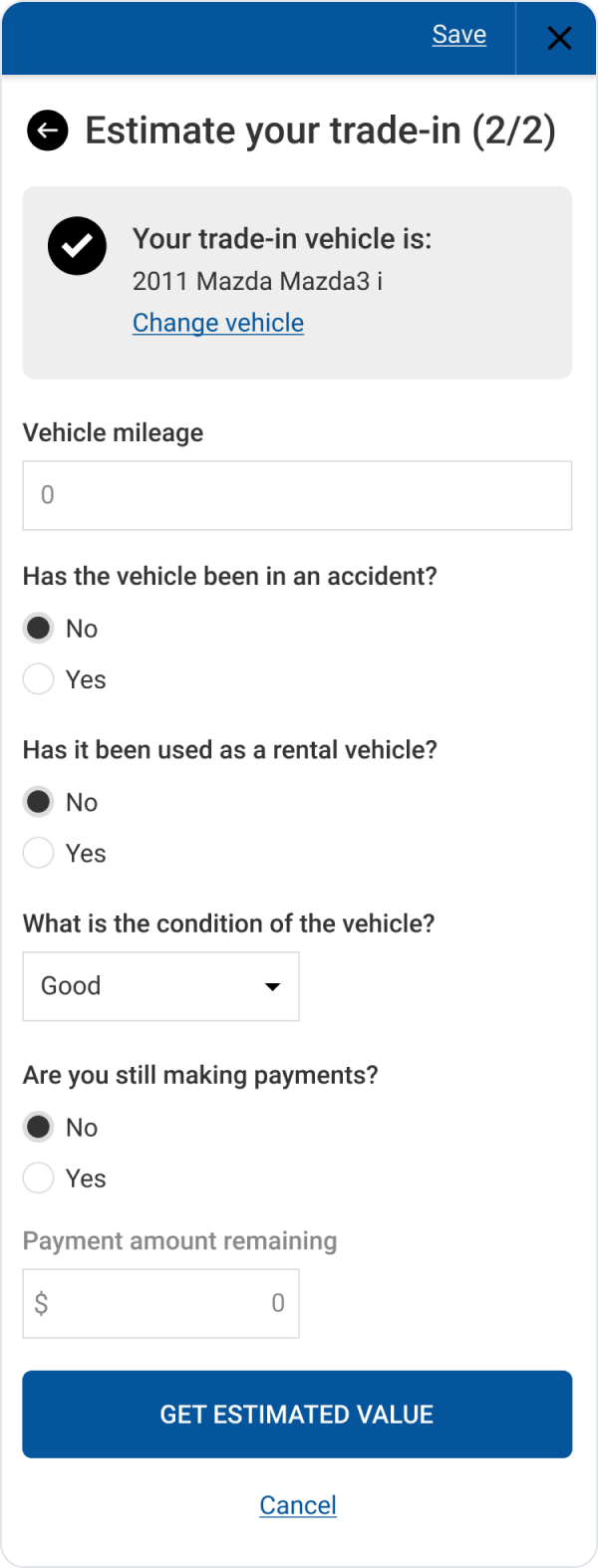
A trade estimate with clear limits.
Shoppers can add a trade and receive an estimate in about eight minutes. The page also explains what may change after the dealer inspects the car.
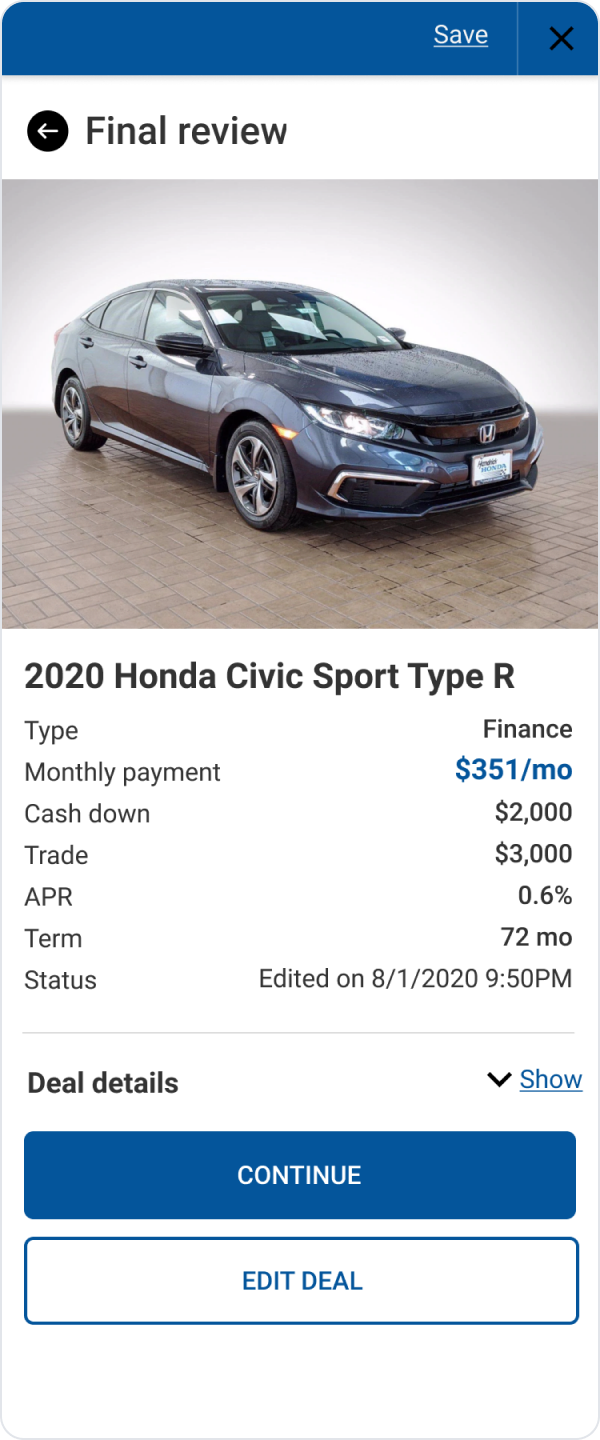
Every charge in one review.
The review shows each charge and saves the shopper’s choices. The dealer can open those details in Desking, then confirm the final taxes, fees, and lender approval.
How the screen changed
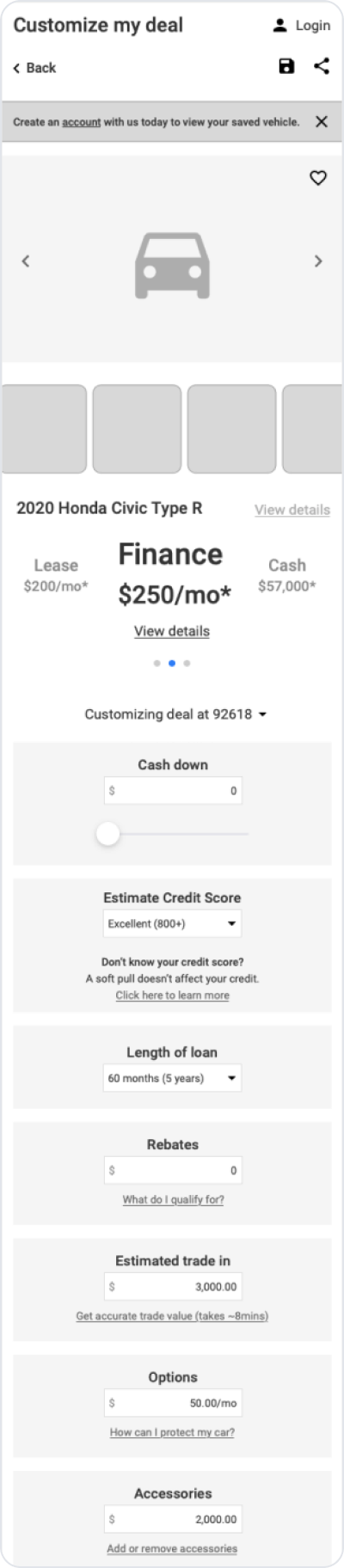
The early wireframe still included a “create an account” step. I removed it before the visual design and final screen.

Save by email and continue on any device.
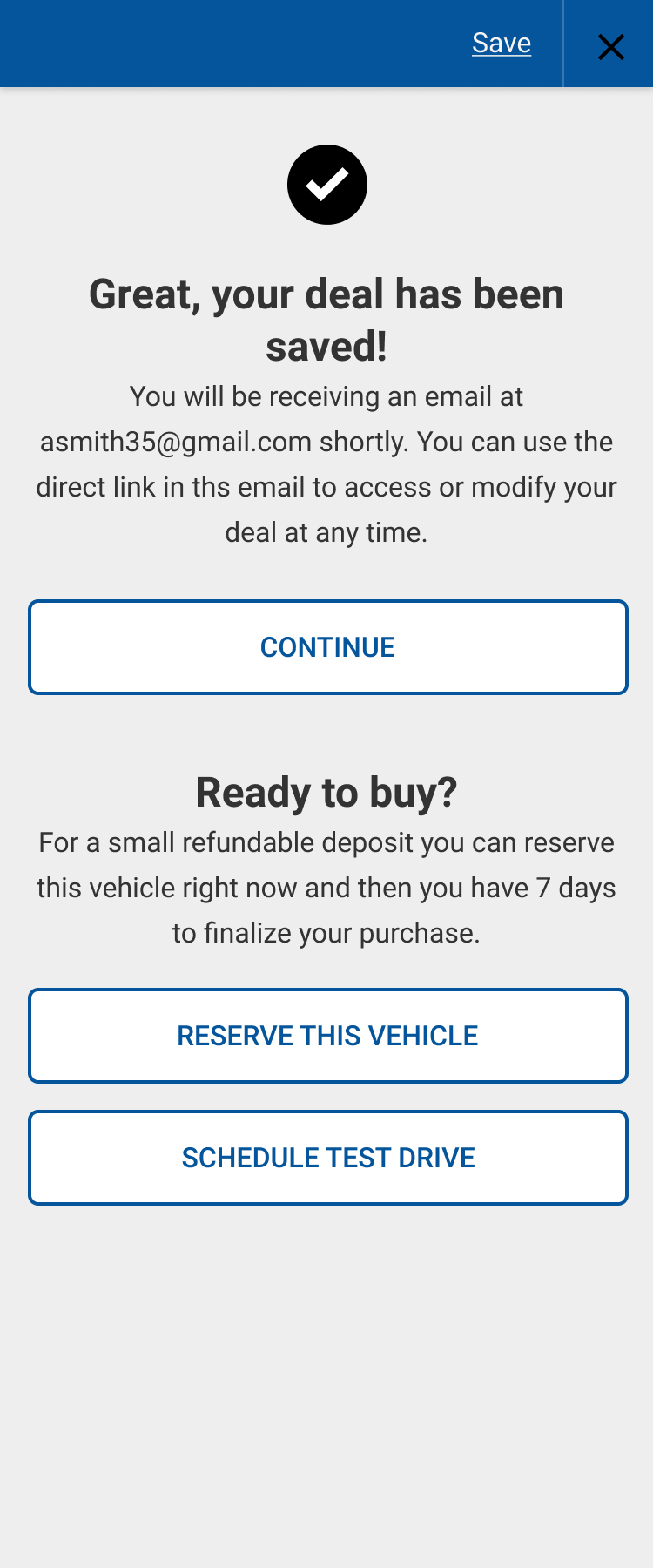
Shoppers save a deal with their name and email, then receive a direct link that works without an account. The saved deal includes the vehicle, payment type, term, cash down, trade, and selected rebates.
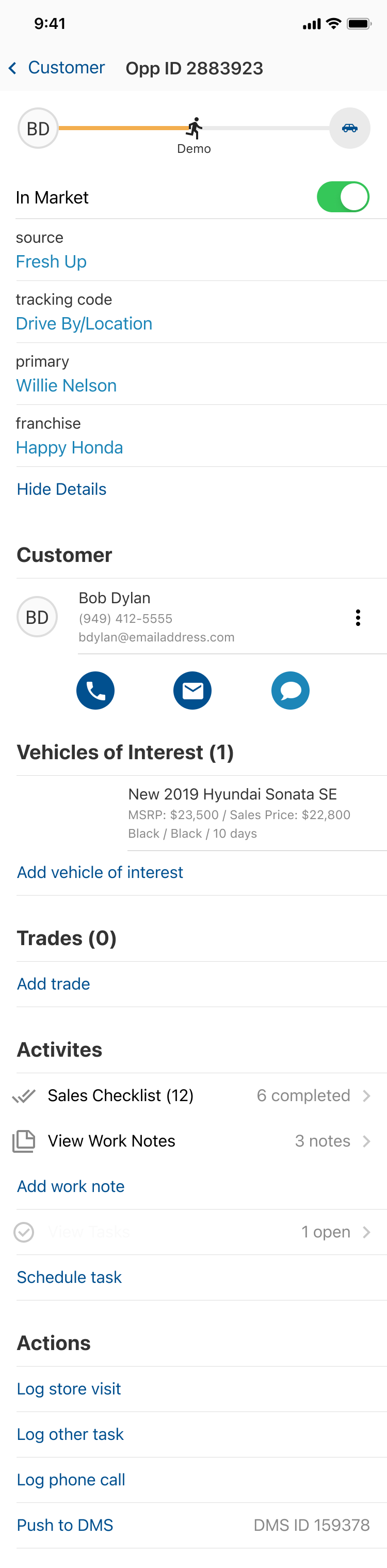
The dealer sees those choices in DealerSocket and can continue the deal in Desking. Taxes, dealer fees, and final lender approval are still confirmed at the dealership because they vary by store and lender.
Scroll vs. accordion
I sketched and tested two ways to organize the deal builder.
Everything stays visible, but the page becomes long and difficult to scan.
 ↗ full screen
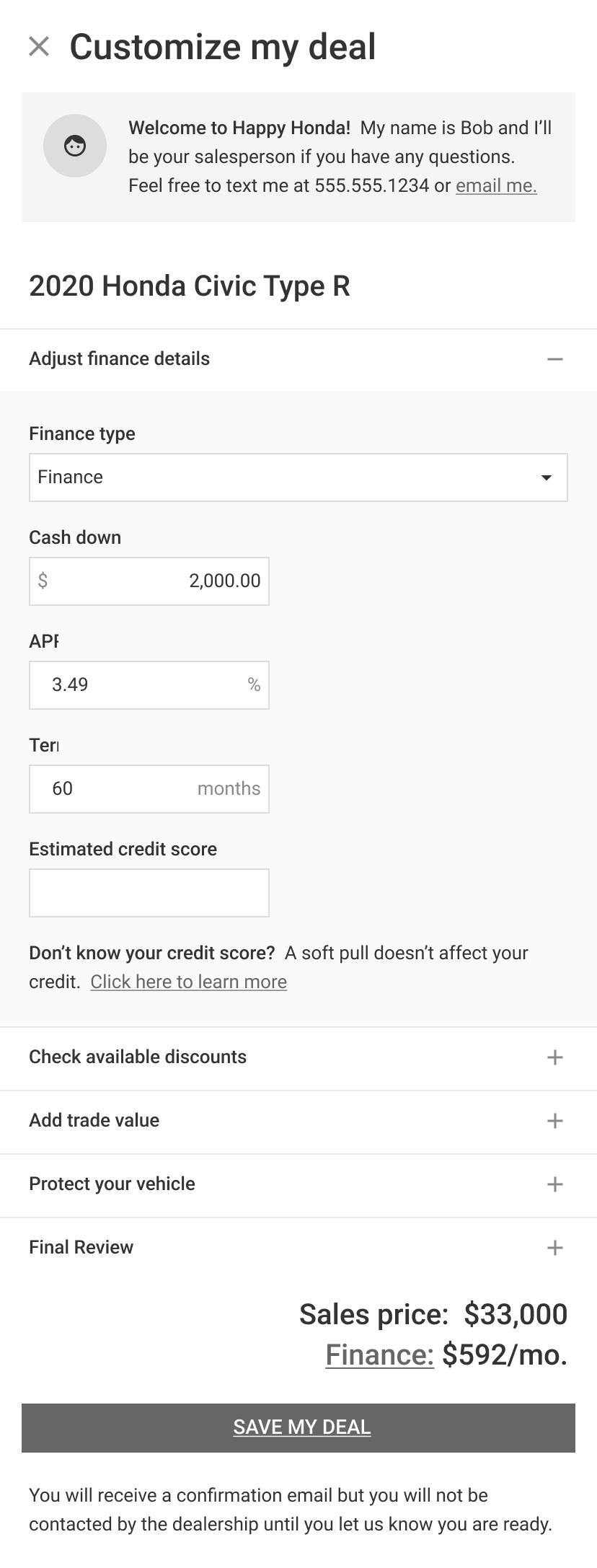
Showing one decision at a time gave anxious buyers more guidance. A progress footer still let experienced buyers move quickly.
 ↗ full screen
I chose the accordion because it gave Alex one decision at a time. The progress footer kept John from feeling slowed down.
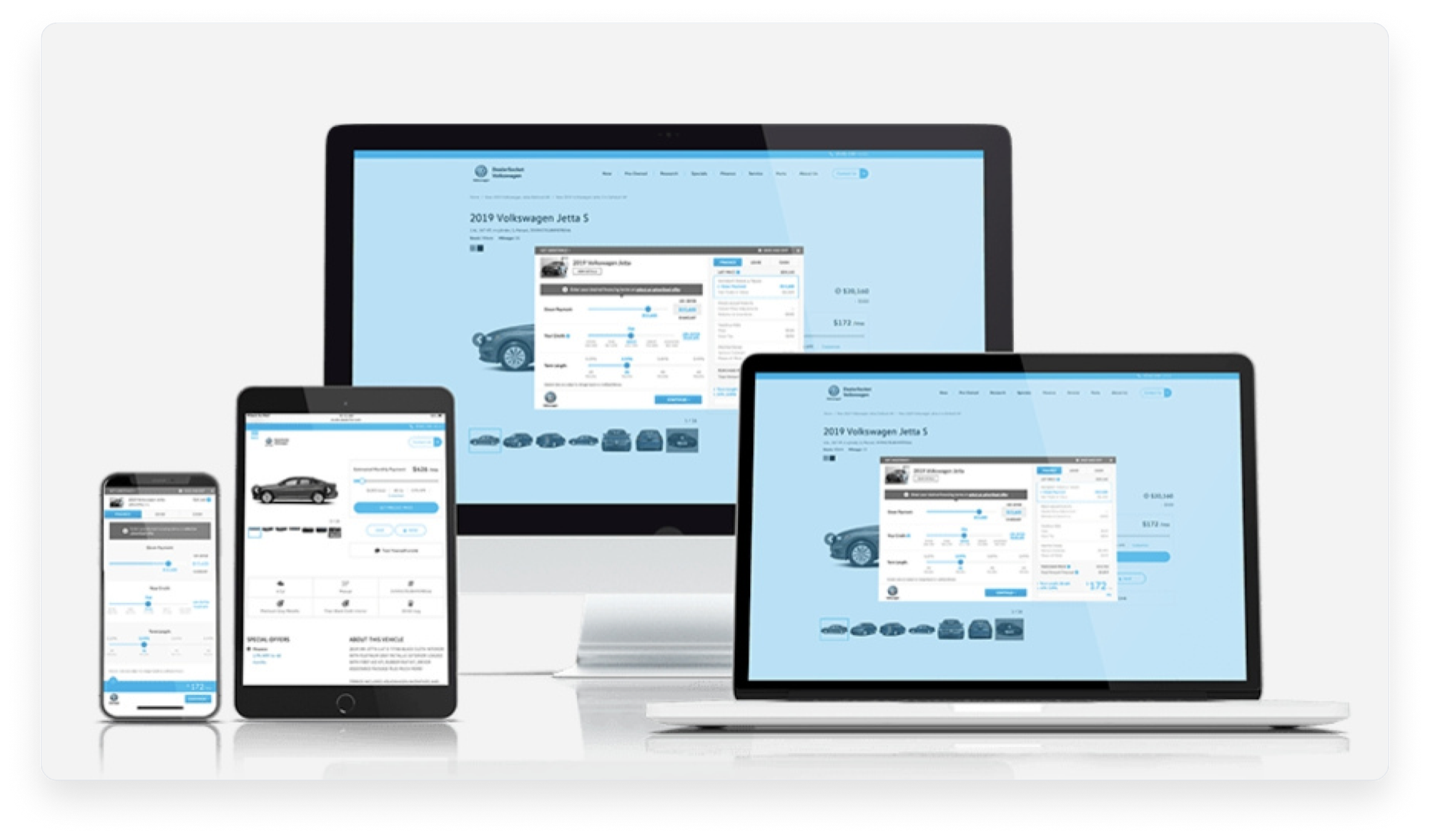
Desktop, tablet, and phone
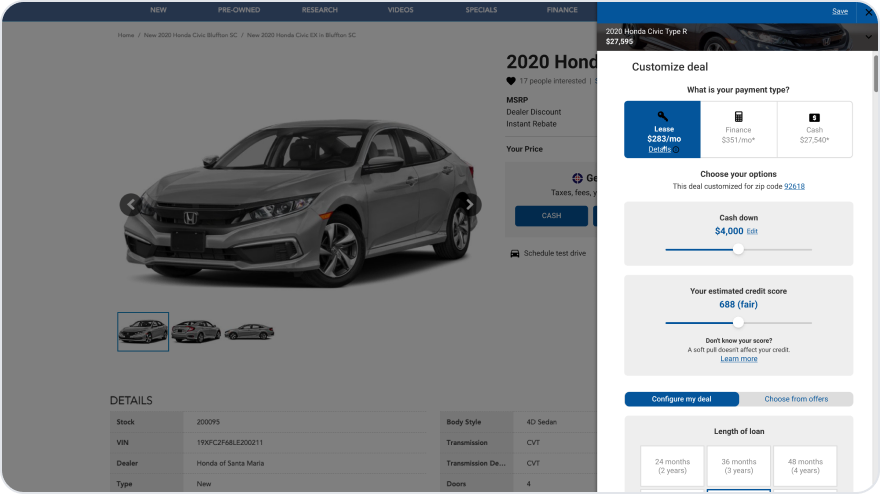
On desktop, the deal panel sits beside the vehicle. On mobile, a fixed footer shows progress and keeps the next action within reach.

What changed after the redesign.
More shoppers reached the review before sharing contact information, and dealers received more complete deals.