Turn a stylist’s expertise into an AI hairstyle tool, without flattening it into a generic algorithm.
A salon owner wanted software that looks at a customer, uses the stylist’s own professional rules to decide which styles actually suit them, and then shows the result on the customer’s own face. The off-the-shelf tools they had tried did the opposite: a fixed library of styles, picked by a generic algorithm. I scoped the system, tested the riskiest part with a frontier image model, and then designed and built the real thing. It shipped as Consult Pro, the in-chair consultation tool stylists at HAO hair days now use with clients: one photo measures the face, the stylist’s own rules filter a 311-style library, and the try-on renders on the client’s own face.

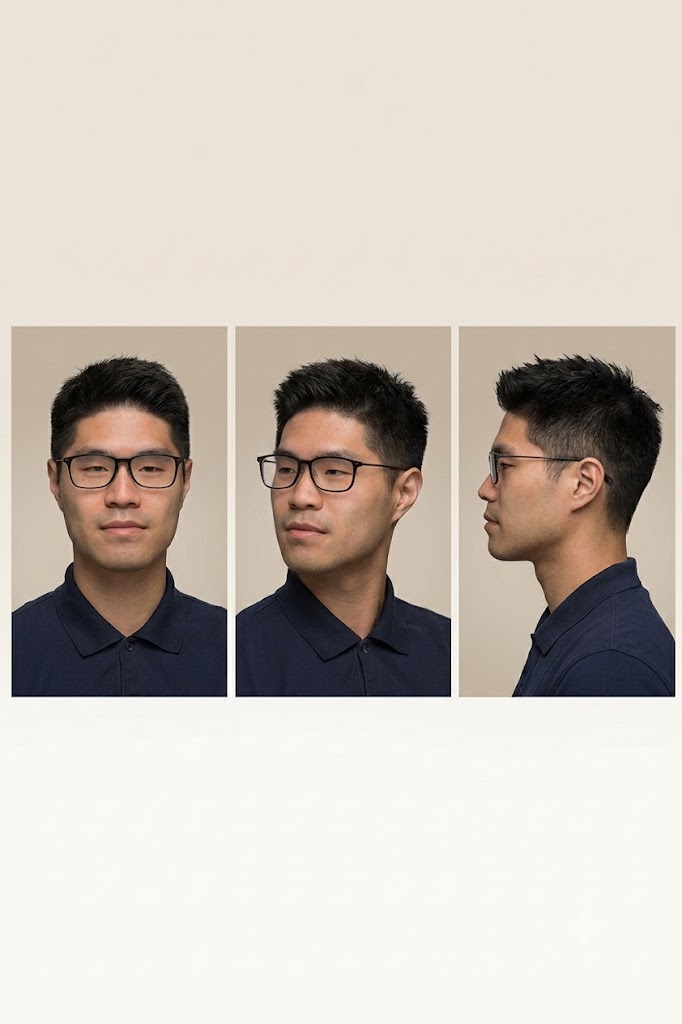
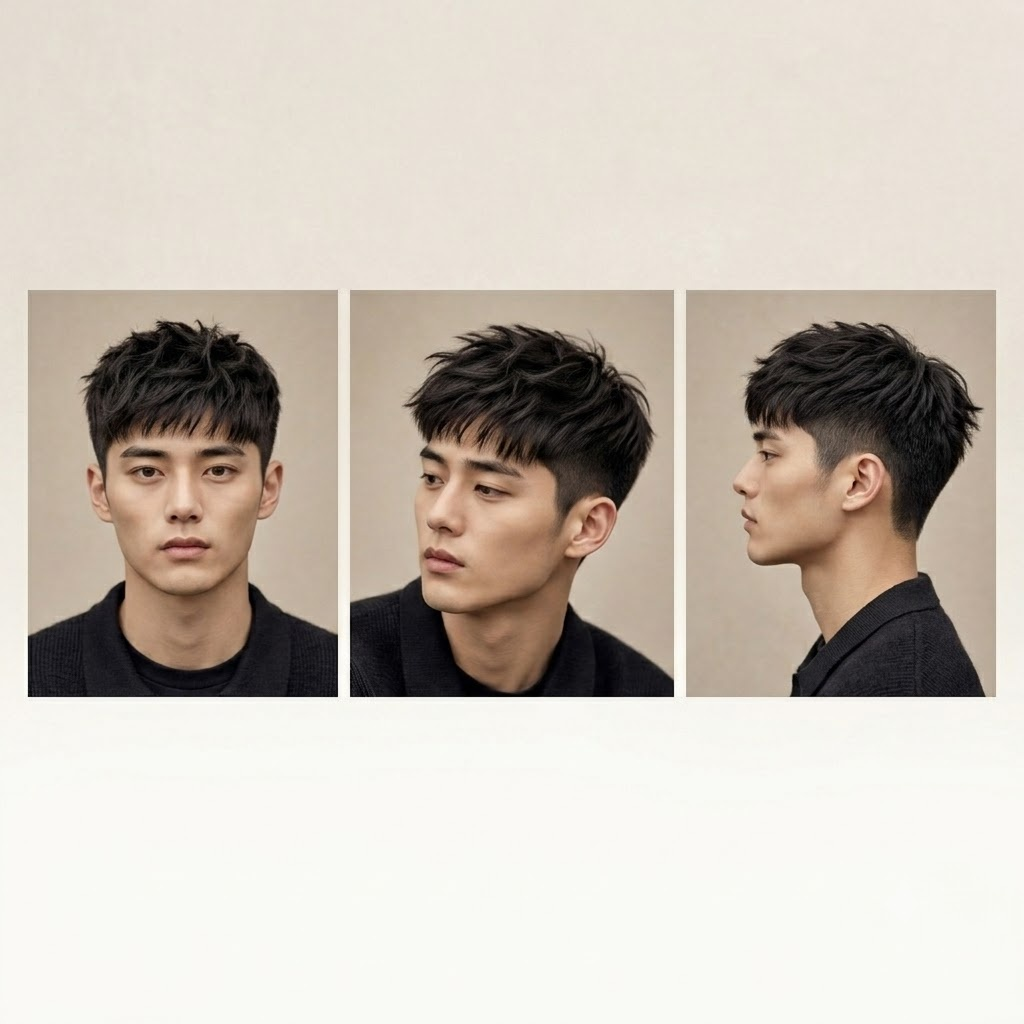
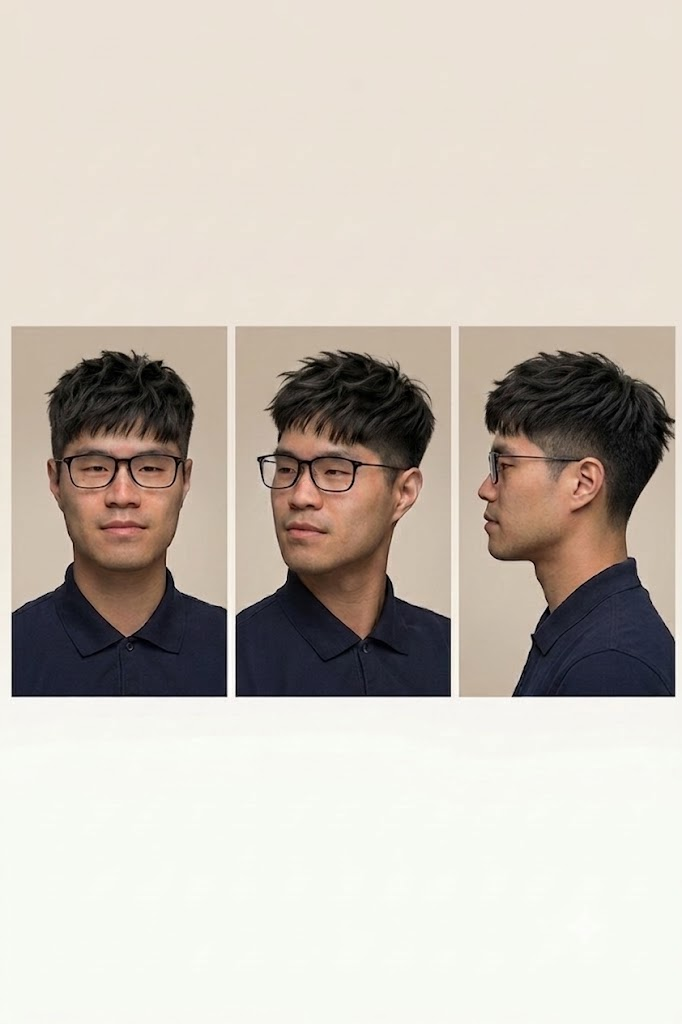
The tools they tried did the two things a stylist never would.
The salon had tried PerfectCorp, and it felt weak for two specific reasons. It offered a fixed set of 82 styles, and its recommendations came from a generic algorithm instead of a stylist’s judgment. So a customer got a one-size-fits-all guess, dressed up as advice.
That misses the entire thing a stylist is paid for: knowing that this face, this hair, and this chemical history rule some styles out and make others sing. A tool that replaces that judgment with a generic model is quietly selling the wrong product.
The expertise is the product. The picture is not. Any tool that swaps the stylist’s judgment for a generic model is selling the cheap half.
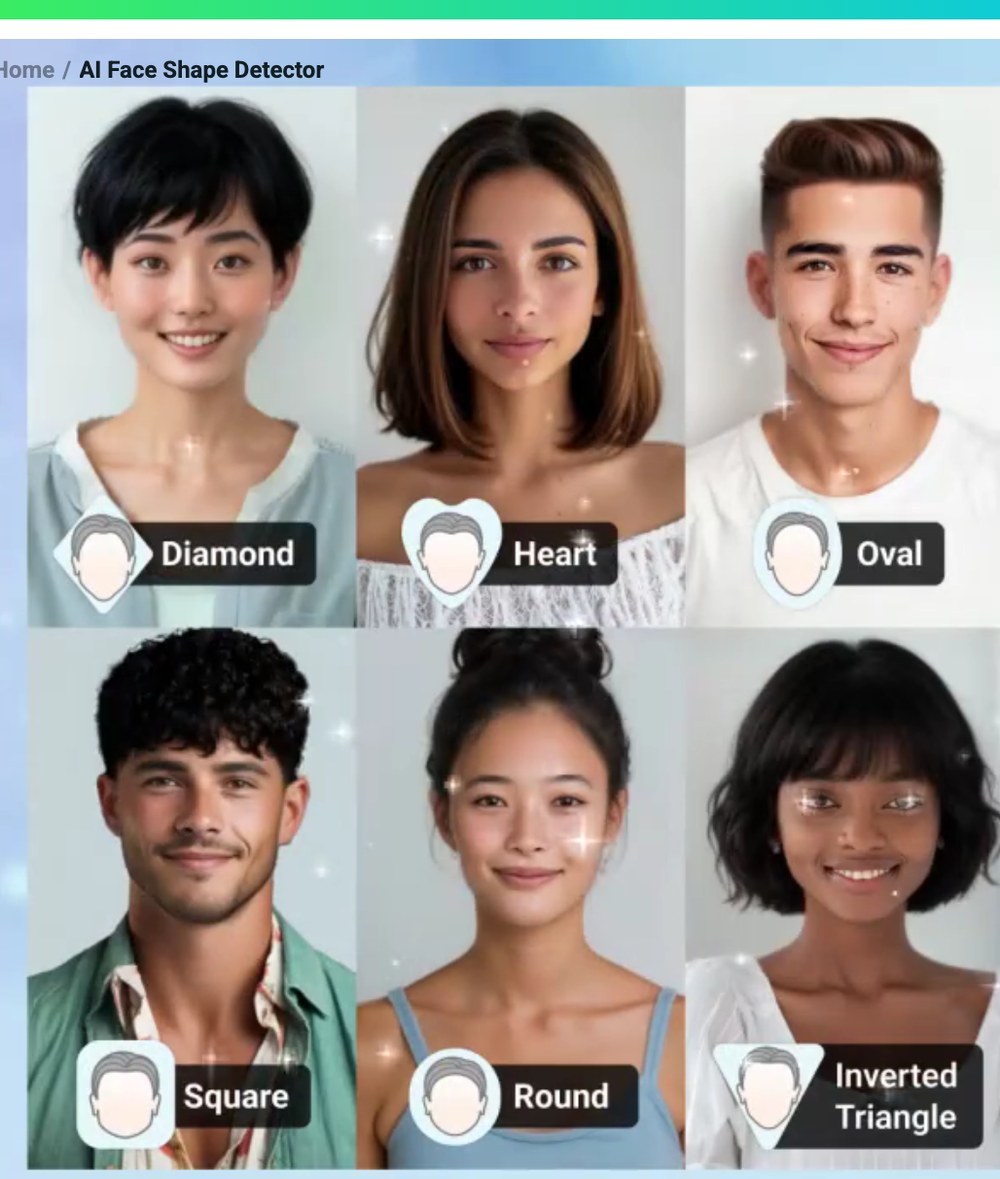
Not one “AI.” Three small systems, each doing one job well.
The trap is asking a single model to do everything: measure the face, know what suits it, and render the result. That is exactly why most of these tools feel mediocre. So I split the product into three independent systems. Each part can then be genuinely good, and we can build and test them one at a time instead of betting everything on one complex model.
Perception
Reads the photo and describes the customer: face shape, head shape, hair quality.
Recommendation
Applies the stylist’s own rules to decide what suits, what to avoid, and why.
Try-on
Shows the customer’s own photo wearing the new style, from several angles.
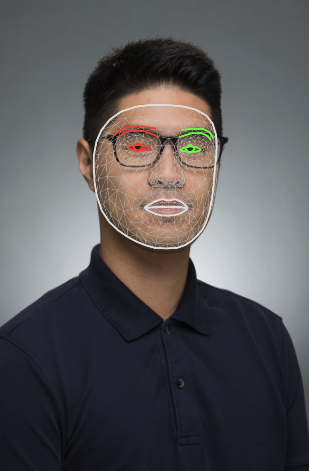
For the perception layer I used MediaPipe, Google’s face-landmark model, which marks hundreds of points on a face — jaw, cheekbones, hairline, chin. From those points the system computes real proportions: face length against width, forehead against jaw, the angle of the jaw. The stylist’s six face shapes are essentially defined by those ratios, so this is a measurement, not a guess — and those measured ratios are exactly what the recommendation engine reads to decide which styles fit. The software measures; the stylist confirms or corrects, since plenty of people sit between two shapes.
Face shape (臉型)
Only one of these is genuinely hard to get right, and it is not the one people expect. The face measurement is a solved problem, and, as it turned out, so is the picture. The hard, valuable part is the middle one: the knowledge.
The recommendation engine is the stylist’s knowledge, written down.
Because this is the part that is uniquely theirs, it should be a set of written rules, not a trained “AI.” A trained model would need thousands of labelled before-and-after cases they don’t have, it couldn’t explain why it chose a style, and it could only be changed by retraining. Written rules need no training data, explain every decision, and the stylist can edit them directly. They had already drafted most of this as a JSON knowledge base.
The upgrade I proposed was about strength. Their draft treated every rule as equally strong, so one minor “avoid” could wipe out a perfectly good style. Real salon reasoning has severity, so I gave the rules levels:
- Forbid — never (a perm on severely damaged hair).
- Avoid — skip unless the stylist overrides.
- Caution — possible, but handle carefully.
- Recommend — a preferred choice.
- Conflict — two rules disagree, so the stylist decides.
Two structural fixes came with it. Bangs became their own category (none, curtain, side, full, wispy), because they do so much of the face-flattering work. And colour became structured along measurable dimensions (lightness, tone, warmth, placement, upkeep) instead of “infinite colours,” which nobody can actually work with.
The try-on turned out to be the easy part.
The try-on is the part the salon had seen done badly everywhere, so I tested it directly with a frontier image model before promising anything. The result flipped the plan. What used to require a specialised six-step pipeline, a strong model now does in a single prompt: one selfie in, the same person wearing the new style across three angles out, with their identity and glasses kept. We even got a full 360-degree walk-around, including the back of the head, from a single prompt, and compared two models on identity, fidelity, and motion.
I kept the assessment honest. The result is an interpretation, not an exact copy: the fringe came out a little shorter than the reference, and the angles aren’t perfectly identical to each other. It is genuinely good enough to show a customer, and worth being upfront about anyway.
If anyone can do the try-on in one shot, the try-on is a commodity. The thing that still makes this product different from PerfectCorp is the recommendation knowledge, not the picture.
Three honest options, sized to how much of their expertise the software carries.
The real decision was not visual, it was scope: how much of the stylist’s judgment the software should carry, which is what sets the size of the build. So I laid out three tiers, described on their own terms, so the salon could choose against how they actually want to deploy rather than against a sales pitch.
| Tier | Uses their knowledge? | Auto face measure? | Effort |
|---|---|---|---|
| 1 · Visualizer | No | No | Light |
| 2 · Curated + stylist | Yes (human) | No | Medium |
| 3 · Automated | Yes (software) | Yes | Heavy |
Tier 1 is just a prettier PerfectCorp, so it was never the point. Tier 2, a curated library the stylist picks from, uses their knowledge and reuses the working try-on, and it is the pragmatic in-salon answer. Tier 3 is the ambitious one, and the one I first built as a working prototype: it measures the face with MediaPipe, runs the knowledge base live from the JSON, and renders the try-on with rotatable angles and live colour, with no stylist present. That prototype is what won the salon over — and what grew into the shipped product below.
Face shape (臉型)
Head shape (頭型)
Hair quality (髮性)
Consult Pro — the in-chair tool the salon actually uses.
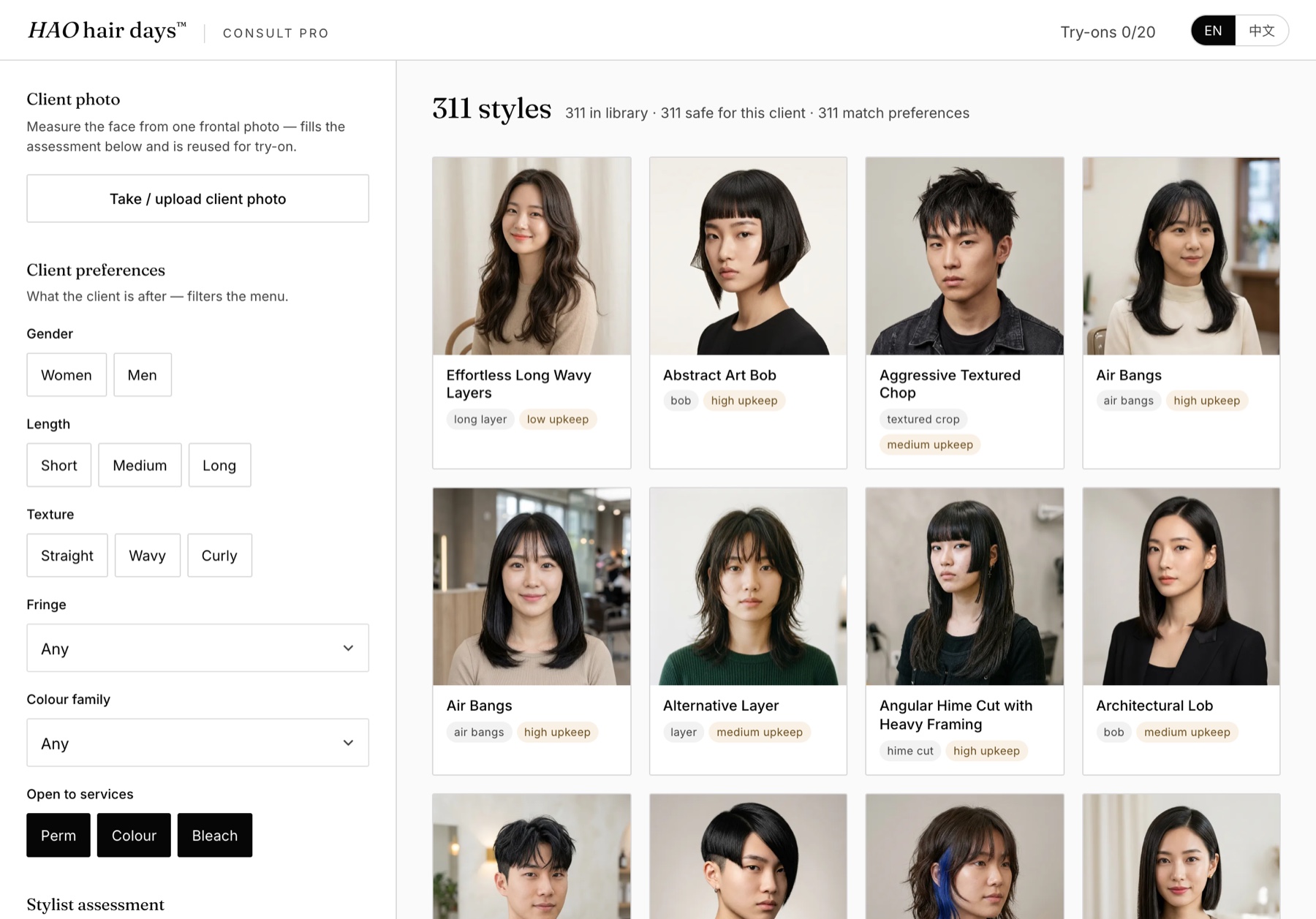
The salon greenlit the ambitious tier, and I built and shipped it as Consult Pro: a web tool, styled to HAO hair days’ own design language, that a stylist runs beside the chair. The stylist takes one frontal photo; MediaPipe measures the face and pre-fills the assessment. The recommendation engine then runs the stylist’s knowledge base as a safe menu — it excludes styles that would hit a landmine for this face, head, and hair rather than pretending to rank a single “best” look, because the final pick belongs to the conversation in the chair. What remains is a live grid of 311 tagged styles the stylist narrows with the client, in English or Traditional Chinese.
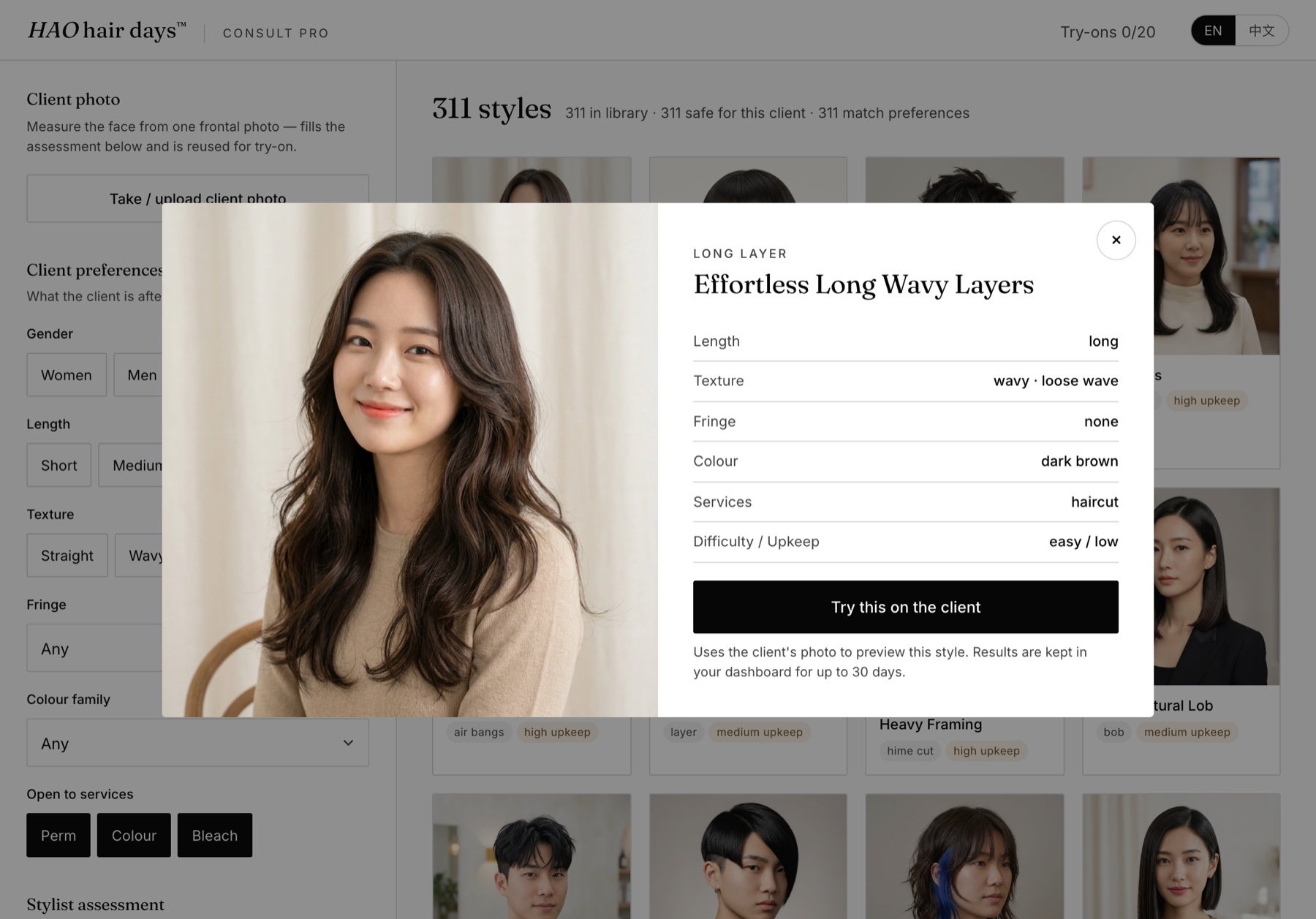
Tapping a style opens its card — length, texture, fringe, colour, services, upkeep — and one button: try this on the client. The try-on runs on Google’s Gemini image model with the client’s photo and the salon’s own reference image, so the client sees themselves, not a model, wearing the style. Results land in the stylist’s dashboard for 30 days; the client’s original photo is never stored.
The production build is the unglamorous half that makes it real: Sign in with Google for the stylists, an admin dashboard where the owner manages her team and watches usage, per-stylist monthly generation quotas, and a serverless backend that holds the API key so nothing sensitive lives in the browser. Client photos get a plain-language consent notice, the original photo is deleted after generation, and results auto-expire after 30 days — the privacy constraint I flagged in the very first consult, built in rather than bolted on.
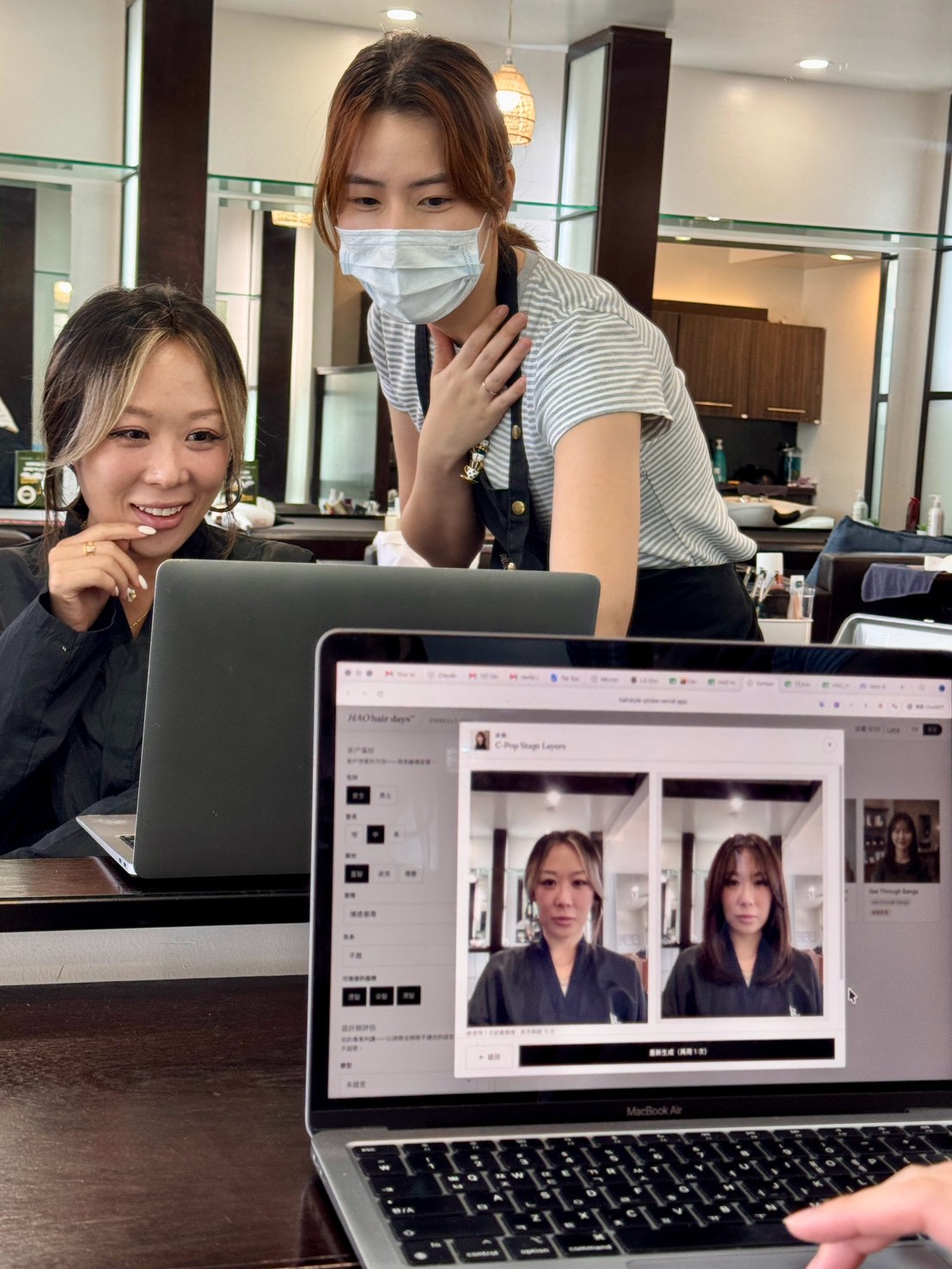
What I’m really showing here is the harder craft: taking a messy, expert skill and turning it into a system the expert would actually put their name on — and then shipping it into their salon.